Expense Tracker & Budget app icon

Track every expense.
Keep it to yourself.

Expense Tracker & Budget logs your daily spending and income, keeps you inside a monthly budget, and shows exactly where the money went. There's no account and no sign-up. Your financial data stays encrypted on your phone, with an optional encrypted backup to your own Google Drive.

Get it on Google Play
Expense Tracker at a glance

Price
Free, with ads
In-app purchases
None
Requires
Android 8.0+
Account
Not needed
Works offline
Yes
Your data
Encrypted on the phone
SMS access
None
Language
English

A tour of the app

How to track expenses and stick to a budget

Most budgeting apps fail on the second week, when logging every coffee starts to feel like work. This one is built to keep the typing down, so the numbers are still accurate at the end of the month.

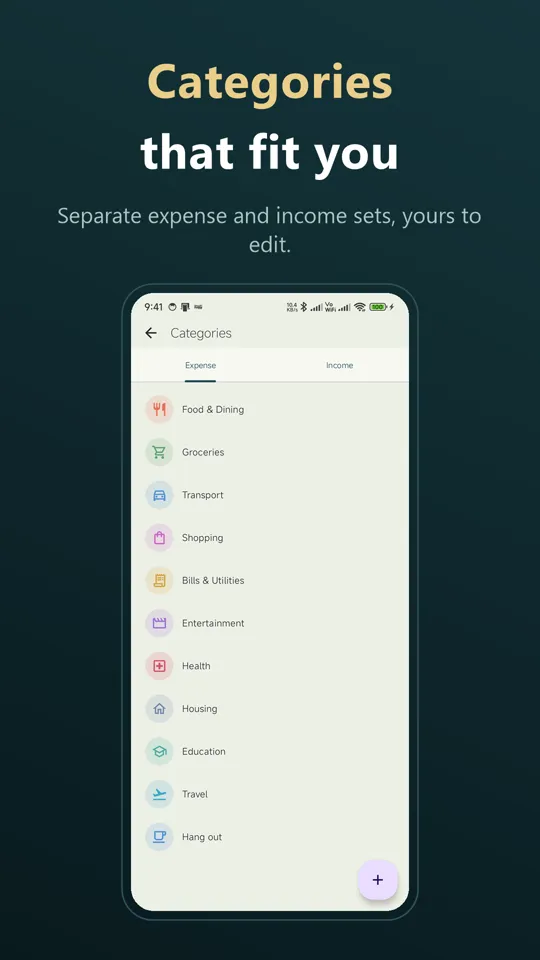
  1. Open it and start There's no account and nothing to sign up for. A starter Cash account and a set of common categories are ready on first launch.
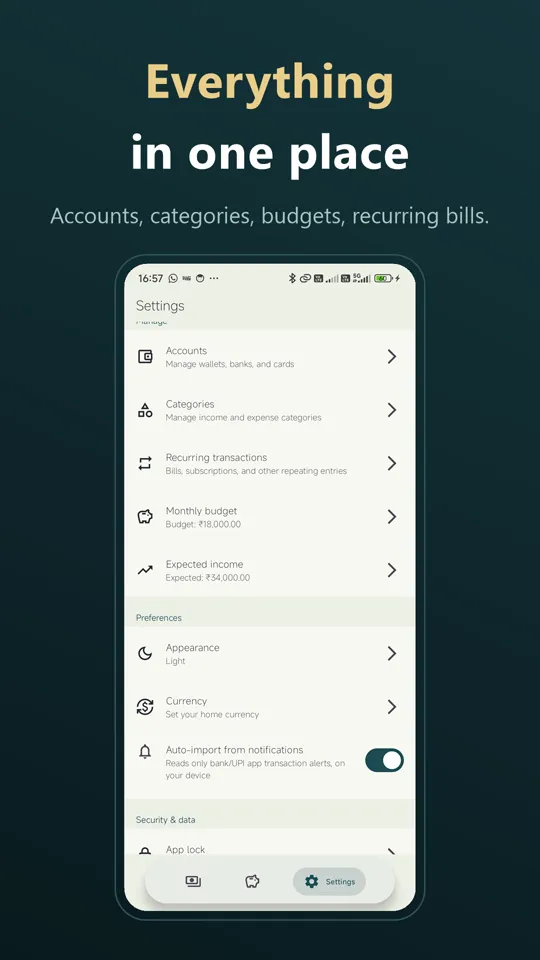
  2. Add your accounts Cash, bank, cards, wallets and savings, each with its own live balance. Moving money between them is a transfer, so it isn't counted as spending or income.
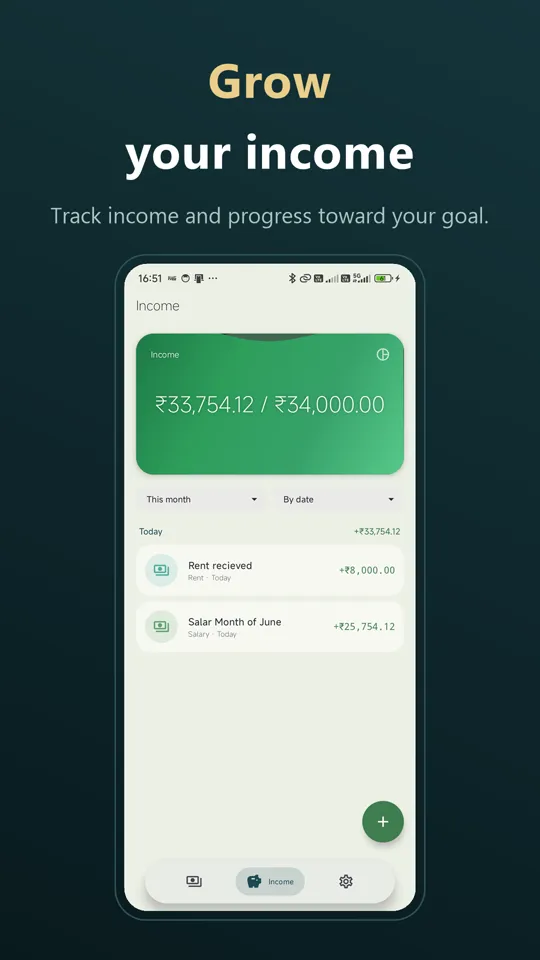
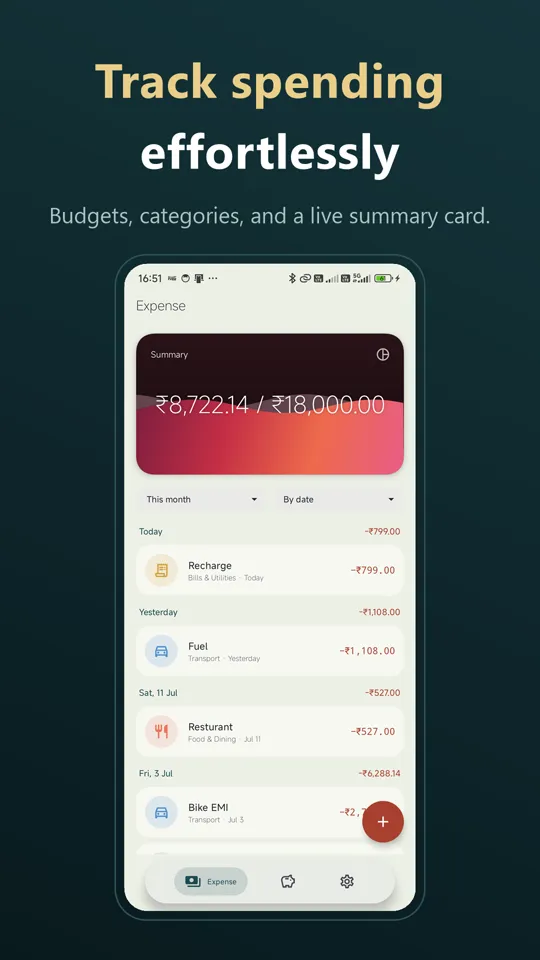
  3. Set a budget Enter a monthly budget, plus an expected income if you want one. The summary card shows where you stand and warns you before you overspend.
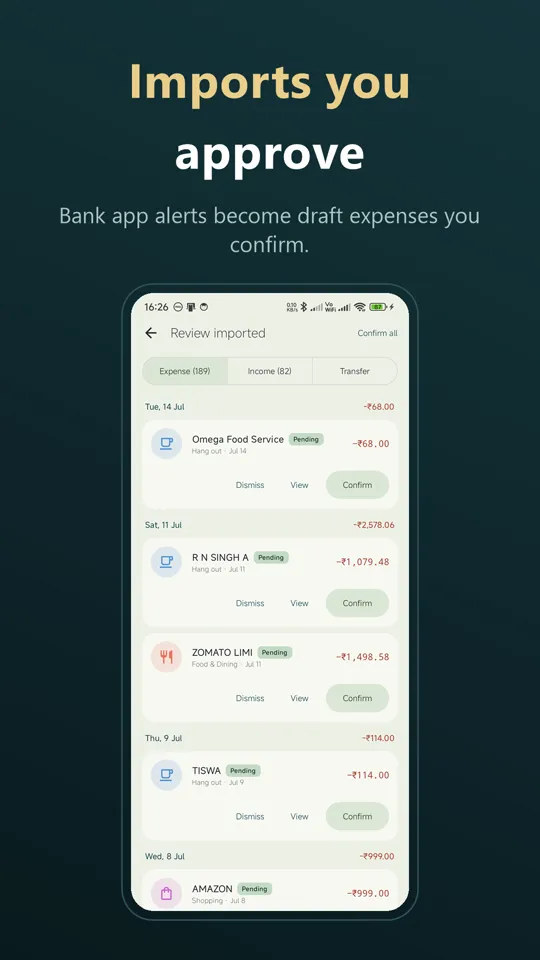
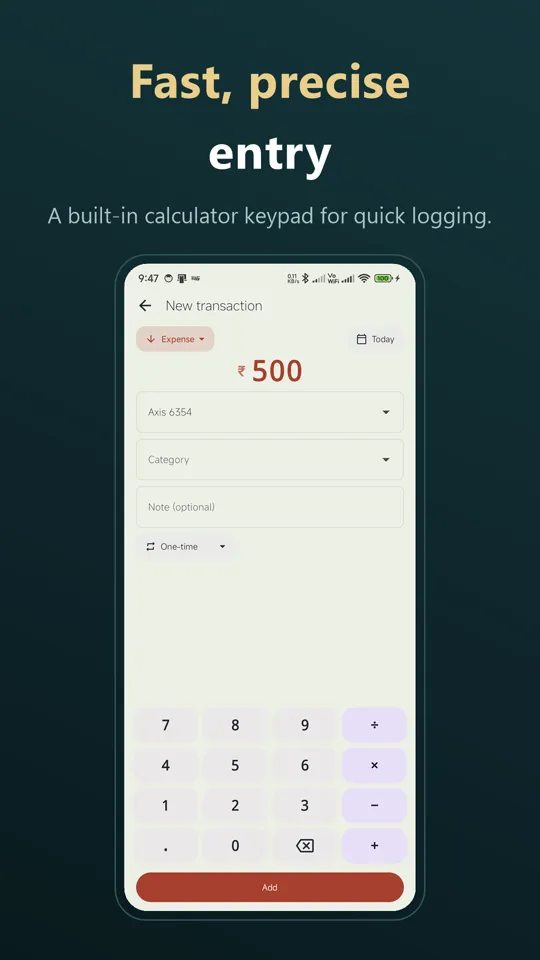
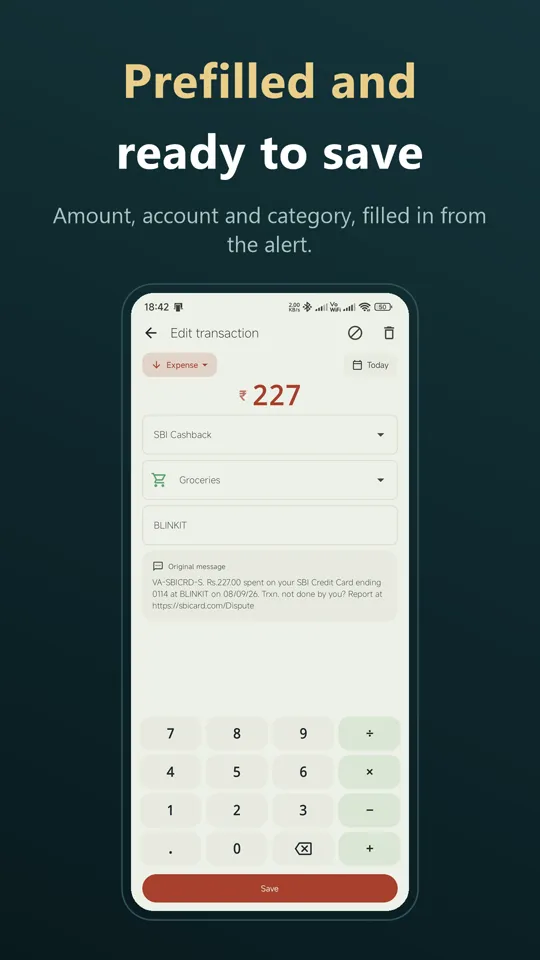
  4. Log as you go Type it in on the keypad, scan a receipt, or turn on notification import and confirm the drafts. Rent, EMIs and subscriptions only need setting up once, as recurring transactions.
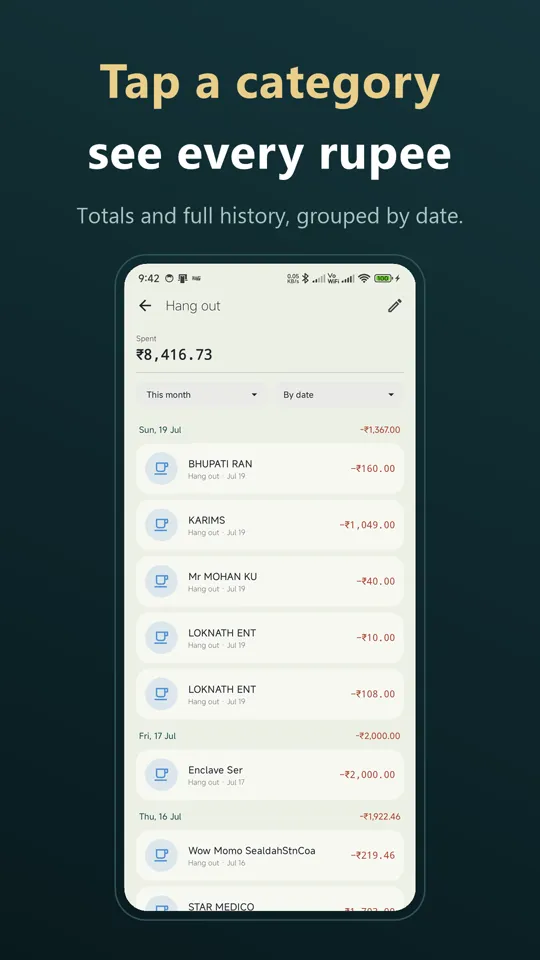
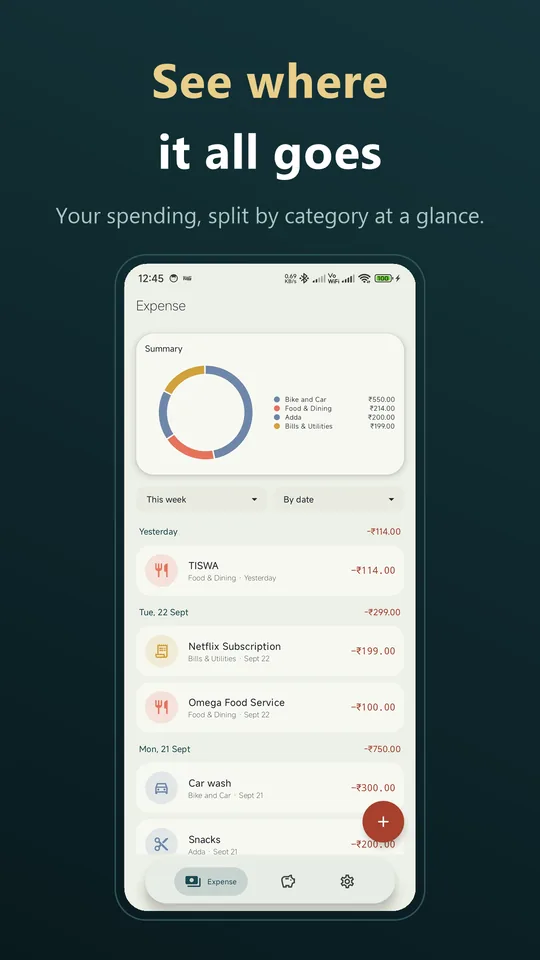
  5. Review the month Filter by day, week, month, year or a custom range. The category pie chart and top-spend breakdown show where the money went.

A money manager that stays on your phone

Everything you'd expect from a budget app, without handing your financial data to anyone.

Expense & income tabs

Separate tabs, each with a live summary card. Amounts are colour-coded red for expense, green for income and blue for transfer.

Budget planner

Set a monthly budget and get a heads-up before you overspend. Add an expected income to track against as well.

Multiple accounts

Cash, bank, cards, wallets and savings, with live balances and transfers between them.

Recurring transactions

Rent, bills, EMIs and subscriptions, with an optional reminder before each one falls due.

Receipt scanning

On-device text recognition reads a receipt photo and prefills the amount and date for you to check.

Notification import

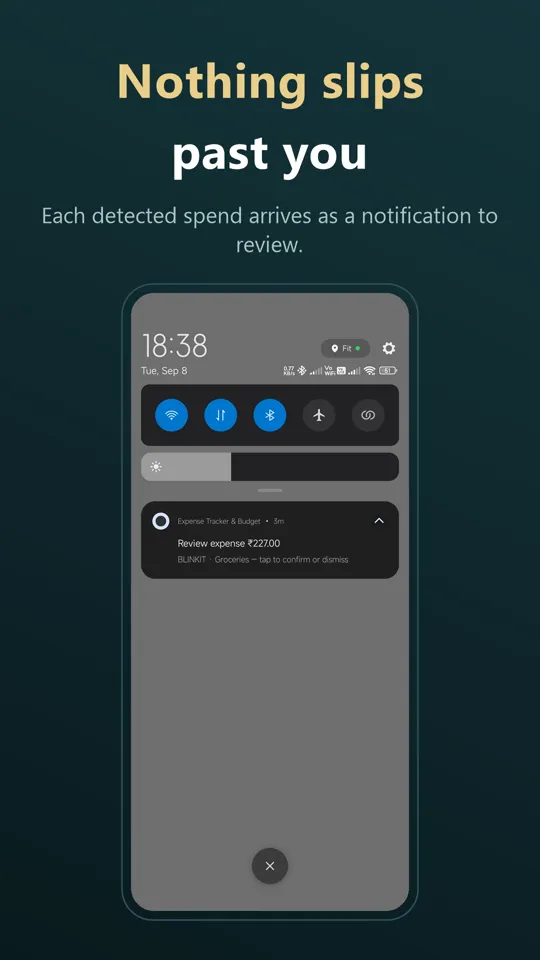
Optional. Payment notifications from bank and UPI apps become drafts on your phone, and you confirm each one.

Encrypted and locked

Transactions live in an encrypted local database. Add a PIN and fingerprint unlock if you want them.

Google Drive backup

An encrypted backup to your own Google Drive, daily at a time you choose or with one tap. New phone? Connect the same account and restore everything.

See the big picture

A category pie chart and top-spend breakdown, plus light, dark or system theme.

Questions worth asking first

Yes. Expense Tracker & Budget works fully offline. Tracking, budgets, receipt scanning and bill reminders all run on your phone. The internet is used only to show ads and, if you turn it on, for Google Drive backup.

No. There's no sign-up and no login. Open the app and start adding transactions. A Google account is only needed if you want to back up to Google Drive.

On your phone, in an encrypted database. The encryption key is generated on first launch and held by the Android Keystore, so the database file can't be read on its own. For an extra layer, turn on the app lock with a PIN and fingerprint unlock. If you turn on Google Drive backup, an encrypted copy is also kept in a private app folder in your own Drive, which only the app can open and the developer can't see.

No. The app doesn't ask for SMS access at all. If you turn it on, it can read the payment notifications your bank and UPI apps post. These are processed on your phone and turned into drafts, and nothing is saved until you confirm it. As you confirm drafts, it learns which category and account you use for each merchant. Notification access is granted in Android settings, and you can revoke it at any time.

Back up to Google Drive from Settings with “Back up now”, or turn on the daily automatic backup. On the new phone, install the app and connect the same Google account. It finds your backup and offers to restore it. No password needed. Your data is removed with the app, so back up before you uninstall.

Yes. Text recognition runs entirely on the device, so a receipt photo never leaves your phone. The amount and date it finds are prefilled into a new transaction for you to check before saving.

Yes. Add as many accounts as you use: cash, bank, credit cards, wallets or savings. Each keeps its own live balance. Moving money between two of your accounts is recorded as a transfer, so it doesn't inflate your spending or income.

Yes. Set rent, bills, EMIs or subscriptions up as recurring transactions and choose how many days before each one falls due you want a reminder.

Yes, it's free and supported by ads, with no in-app purchases. Ads use your device's advertising ID. Your transactions, accounts and budgets are never collected or shared. The privacy policy has the details.

Any phone running Android 8.0 or later.

No. You never enter bank logins or card numbers. Add transactions yourself on the keypad, scan a receipt, or optionally let the app read the payment notifications your bank and UPI apps already post on your phone.

Other apps you might like

Start with this month

Free on Google Play. No account, no sign-up, and your financial data stays on your phone.

Get it on Google Play